
FAQs
How to Switch Schemes?
Login Using PAN Details:
Step 1: Click on the Existing User icon to log in with your PAN number or User ID and Password.
Step 2: Enter your PAN and click Submit.
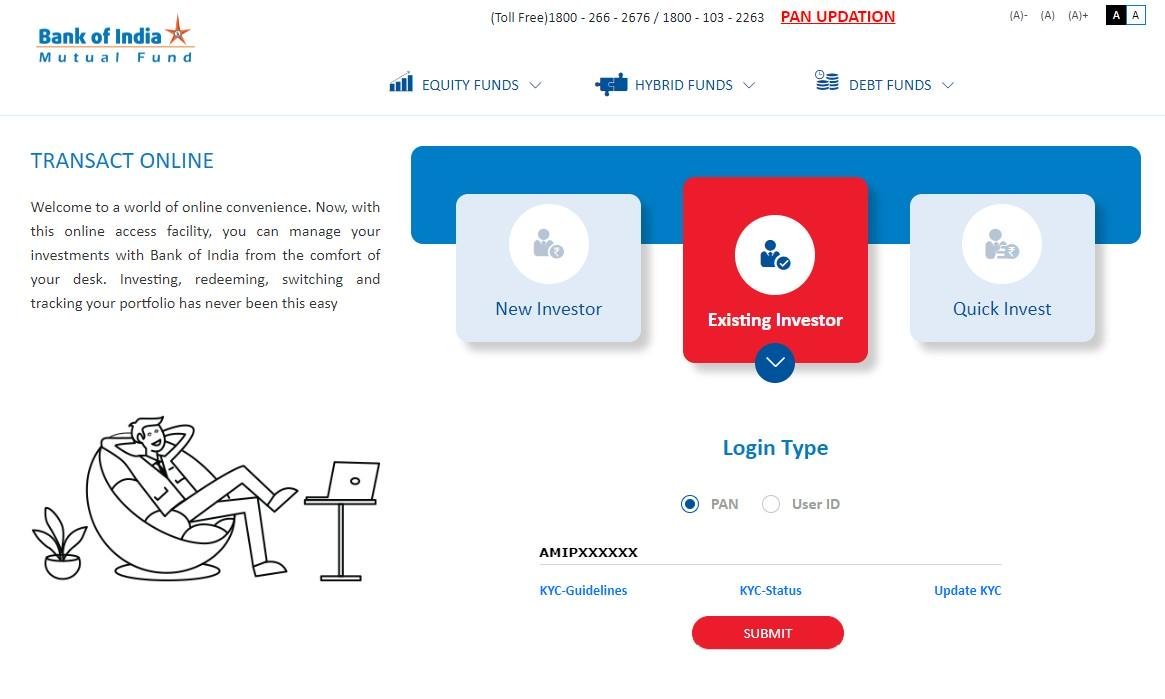
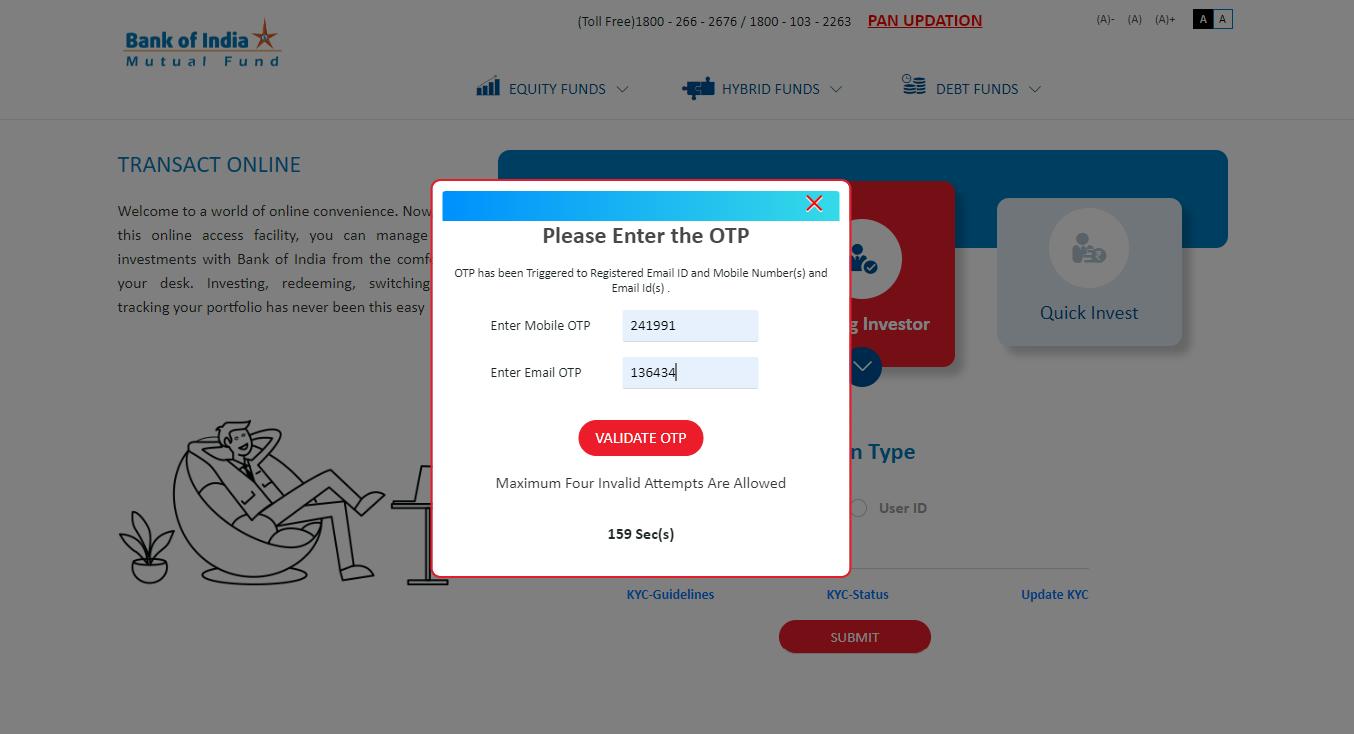
Step 3: On the OTP Verification pop-up, an OTP will be sent to your registered email and mobile number. Enter this OTP and click Submit to access the BOIMF Investor Dashboard.
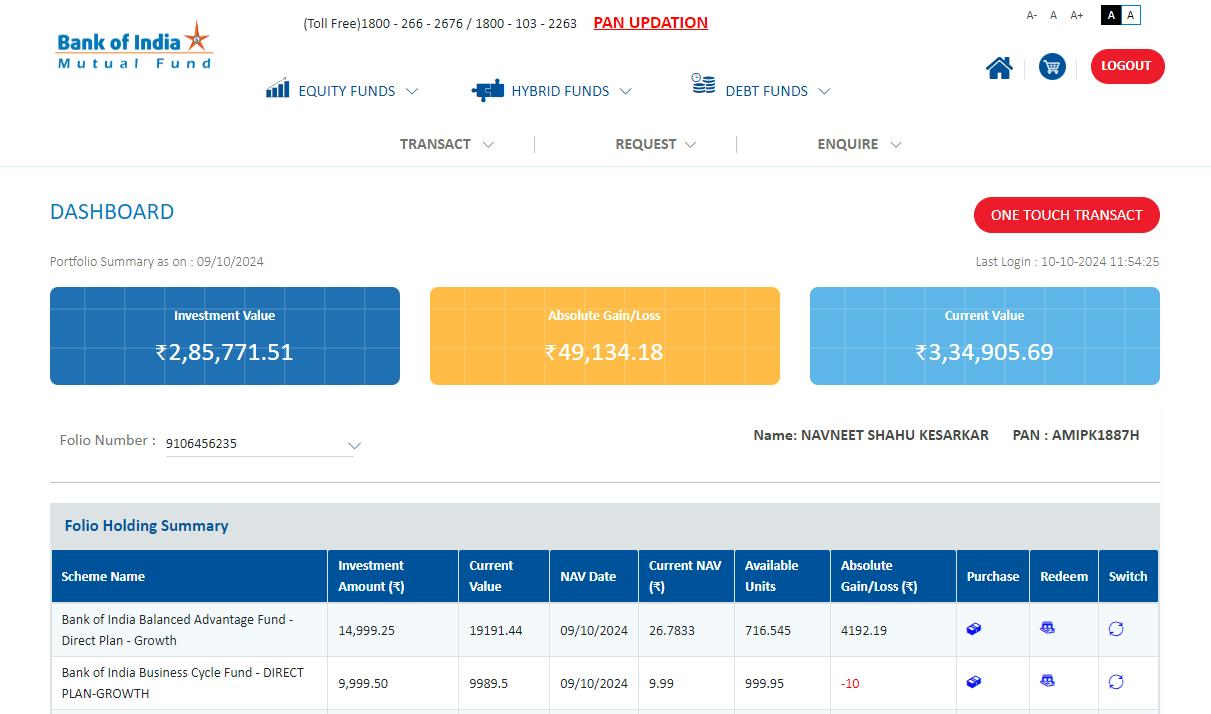
Transacting After Login: You are now on BOIMF investor dashboard. You can proceed with transactions through two convenient options:
Option 1: Transact Icon in the Header:
Select the Transact icon in the header to view various transaction options:
- Additional Purchase: Add to your existing funds.
- SIP/SWP/STP: Manage Systematic Investment (SIP), Withdrawal (SWP), and Transfer Plans (STP).
- Switch: Transfer funds between schemes within the same fund family.
- Redemption: Withdraw or redeem your investment.
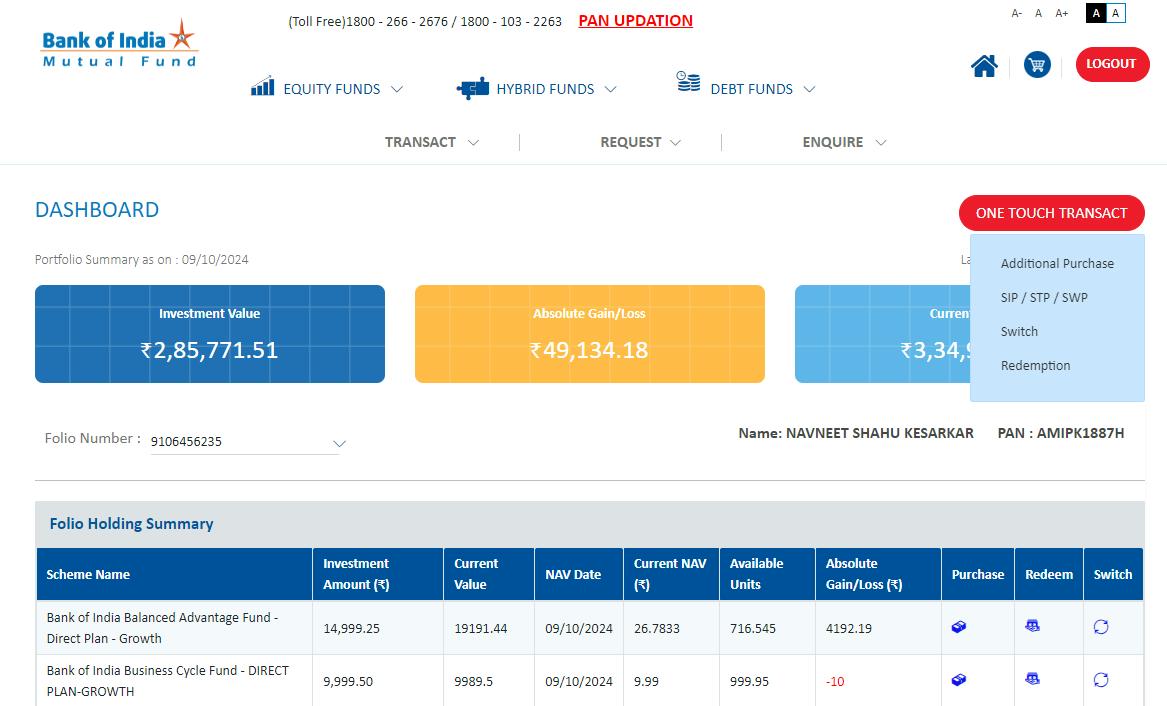
Option 2: One Touch Transact on the Dashboard:
- Click the One Touch Transact button for quick access to the transaction menu.
Steps to Switch Your Investment
Step 1: Select Switch
From the transaction types, choose Switch to open the Switch transaction page.
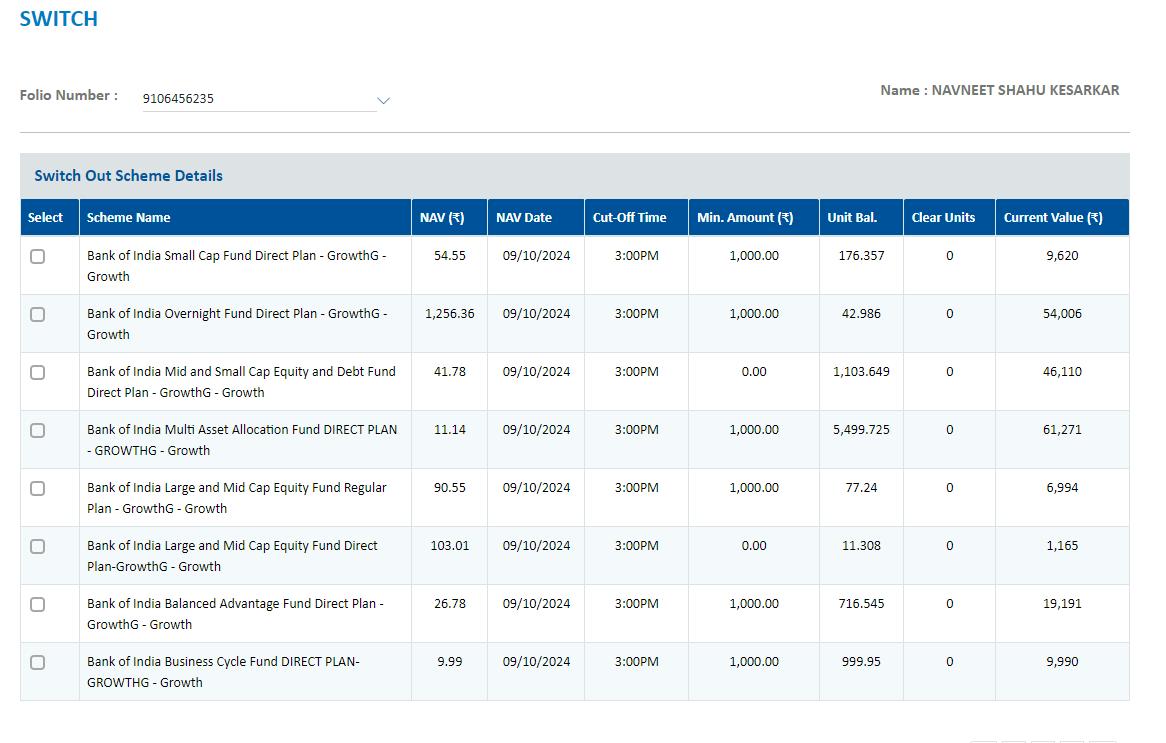
Step 2: View Invested Schemes
On this page, you’ll see a list of your currently invested schemes.
Step 3: Select Your Scheme
Choose the specific scheme you wish to switch.
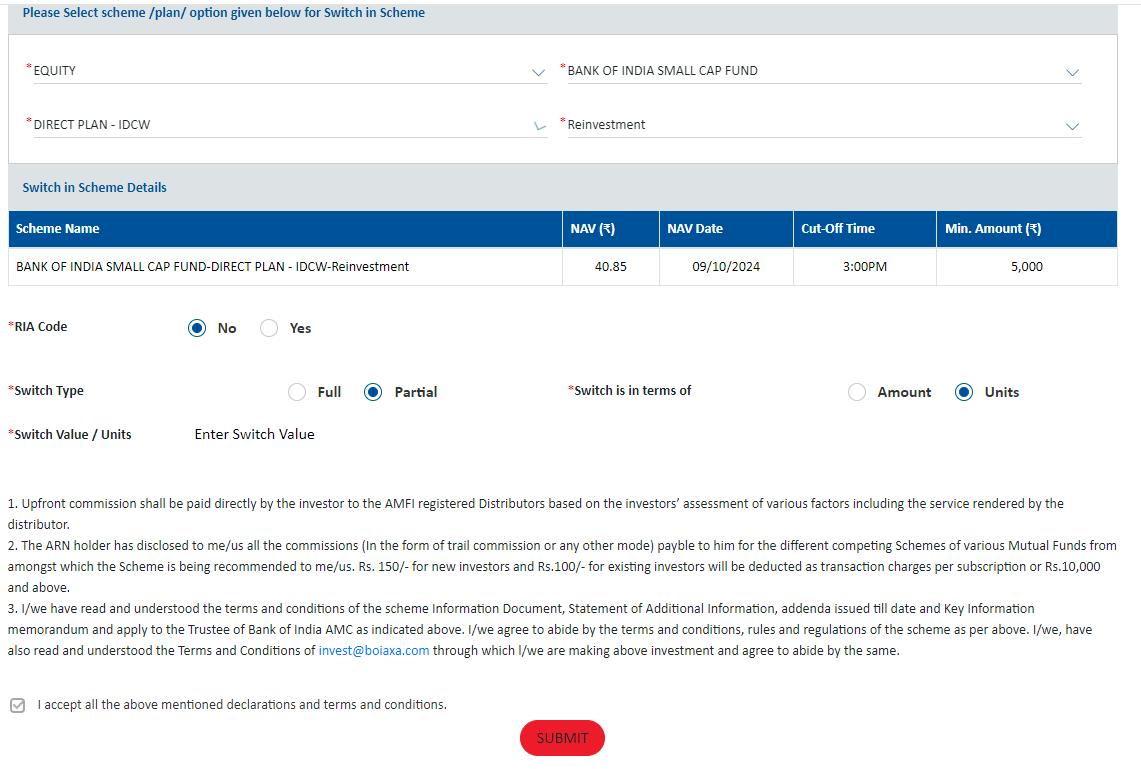
Step 4: Choose Destination Scheme
Select the scheme, fund category, and plan (Direct/Regular) to which you want to switch.
Step 5: Choose Switch Type
Decide between:
Partial Switch: Specify the amount or units you wish to switch.
Full Switch: Switch the entire investment to the selected scheme.
Step 6: Enter Amount or Units
If you chose Partial Switch, enter the amount (in currency) or the number of units to switch.
Step 7: Review Details
Carefully review transaction details, ensuring the accuracy of amounts or units.
Step 8: Confirm Transaction
Once verified, confirm the switch and click Submit to complete the process.